
by Joche Ojeda | Jan 30, 2026 | C#, dotnet
There is a familiar moment in every developer’s life.
Memory usage keeps creeping up.
The process never really goes down.
After hours—or days—the application feels heavier, slower, tired.
And the conclusion arrives almost automatically:
“The framework has a memory leak.”
“That component library is broken.”
“The GC isn’t doing its job.”
It’s a comforting explanation.
It’s also usually wrong.
Memory Leaks vs. Memory Retention
In managed runtimes like .NET, true memory leaks are rare.
The garbage collector is extremely good at reclaiming memory.
If an object is unreachable, it will be collected.
What most developers call a “memory leak” is actually
memory retention.
- Objects are still referenced
- So they stay alive
- Forever
From the GC’s point of view, nothing is wrong.
From your point of view, RAM usage keeps climbing.
Why Frameworks Are the First to Be Blamed
When you open a profiler and look at what’s alive, you often see:
- UI controls
- ORM sessions
- Binding infrastructure
- Framework services
So it’s natural to conclude:
“This thing is leaking.”
But profilers don’t answer why something is alive.
They only show that it is alive.
Framework objects are usually not the cause — they are just sitting at the
end of a reference chain that starts in your code.
The Classic Culprit: Bad Event Wiring
The most common “mirage leak” is caused by events.
The pattern
- A long-lived publisher (static service, global event hub, application-wide manager)
- A short-lived subscriber (view, view model, controller)
- A subscription that is never removed
That’s it. That’s the leak.
Why it happens
Events are references.
If the publisher lives for the lifetime of the process, anything it
references also lives for the lifetime of the process.
Your object doesn’t get garbage collected.
It becomes immortal.
The Immortal Object: When Short-Lived Becomes Eternal
An immortal object is an object that should be short-lived
but can never be garbage collected because it is still reachable from a GC
root.
Not because of a GC bug.
Not because of a framework leak.
But because our code made it immortal.
Static fields, singletons, global event hubs, timers, and background services
act as anchors. Once a short-lived object is attached to one of these, it
stops aging.
GC Root
  └── static / singleton / service
        └── Event, timer, or callback
              └── Delegate or closure
                    └── Immortal object
                          └── Large object graph
From the GC’s perspective, everything is valid and reachable.
From your perspective, memory never comes back down.
A Retention Dependency Tree That Cannot Be Collected
GC Root
  └── static GlobalEventHub.Instance
        └── GlobalEventHub.DataUpdated (event)
              └── delegate → CustomerViewModel.OnDataUpdated
                    └── CustomerViewModel
                          └── ObjectSpace / DbContext
                                └── IdentityMap / ChangeTracker
                                      └── Customer, Order, Invoice, ...
What you see in the memory dump:
- thousands of entities
- ORM internals
- framework objects
What actually caused it:
- one forgotten event unsubscription
The Lambda Trap (Even Worse, Because It Looks Innocent)
The code
public CustomerViewModel(GlobalEventHub hub)
{
    hub.DataUpdated += (_, e) =>
    {
        RefreshCustomer(e.CustomerId);
    };
}
This lambda captures this implicitly.
The compiler creates a hidden closure that keeps the instance alive.
“But I Disposed the Object!”
Disposal does not save you here.
- Dispose does not remove event handlers
- Dispose does not break static references
- Dispose does not stop background work automatically
IDisposable is a promise — not a magic spell.
Leak-Hunting Checklist
Reference Roots
- Are there static fields holding objects?
- Are singletons referencing short-lived instances?
- Is a background service keeping references alive?
Events
- Are subscriptions always paired with unsubscriptions?
- Are lambdas hiding captured references?
Timers & Async
- Are timers stopped and disposed?
- Are async loops cancellable?
Profiling
- Follow GC roots, not object counts
- Inspect retention paths
- Ask: who is holding the reference?
Final Thought
Frameworks rarely leak memory.
We do.
Follow the references.
Trust the GC.
Question your wiring.
That’s when the mirage finally disappears.
by Joche Ojeda | Jan 12, 2026 | A.I, Copilot
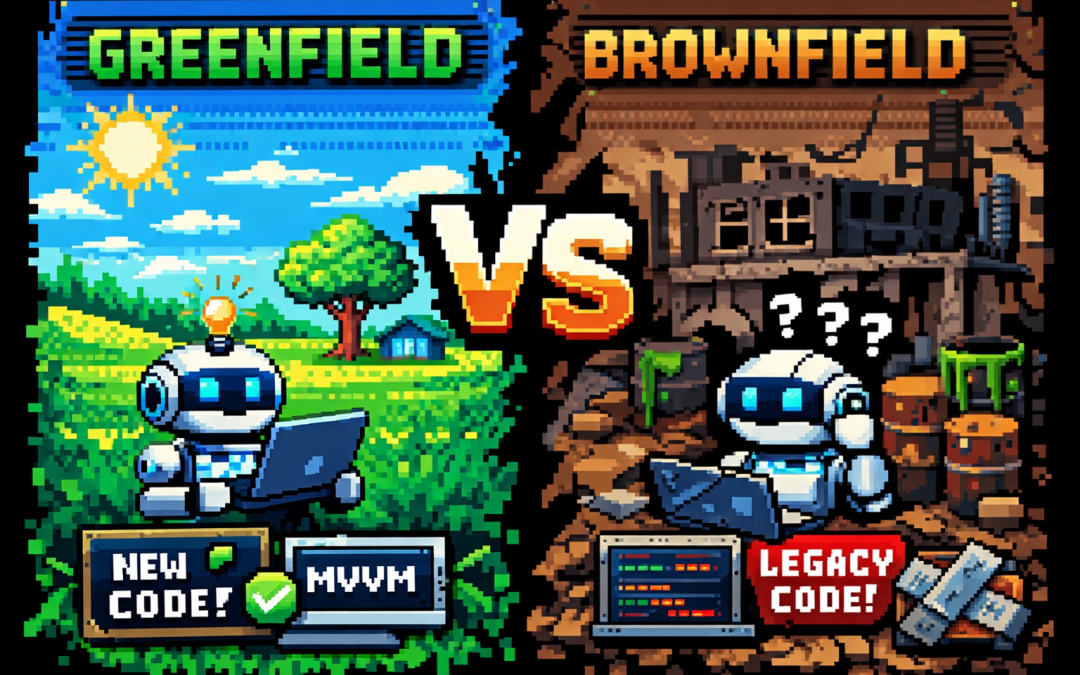
I recently listened to an episode of the Merge Conflict podcast by James Montemagno and Frank Krueger where a topic came up that, surprisingly, I had never explicitly framed before: greenfield vs brownfield projects.
That surprised me—not because the ideas were new, but because I’ve spent years deep in software architecture and AI, and yet I had never put a name to something I deal with almost daily.
Once I did a bit of research (and yes, asked ChatGPT too), everything clicked.
Greenfield and Brownfield, in Simple Terms
- Greenfield projects are built from scratch. No legacy code, no historical baggage, no technical debt.
- Brownfield projects already exist. They carry history: multiple teams, different styles, shortcuts, and decisions made under pressure.
If that sounds abstract, here’s the practical version:
Greenfield is what we want.
Brownfield is what we usually get.
Greenfield Projects: Architecture Paradise
In a greenfield project, everything feels right.
You can choose your architecture and actually stick to it. If you’re building a .NET MAUI application, you can start with proper MVVM, SOLID principles, clean boundaries, and consistent conventions from day one.
As developers, we know how things should be done. Greenfield projects give us permission to do exactly that.
They’re also extremely friendly to AI tools.
When the rules are clear and consistent, Copilot and AI agents perform beautifully. You can define specs, outline patterns, and let the tooling do a lot of the repetitive work for you.
That’s why I often use AI for greenfield projects as internal tools or side projects—things I’ve always known how to build, but never had the time to prioritize. Today, time is no longer the constraint. Tokens are.
Brownfield Projects: Welcome to Reality
Then there’s the real world.
At the office, we work with applications that have been touched by many hands over many years—sometimes 10 different teams, sometimes freelancers, sometimes “someone’s cousin who fixed it once.”
Each left behind a different style, different patterns, and different assumptions.
Customers often describe their systems like this:
“One team built it, another modified it, then my cousin fixed a bug, then my cousin got married and stopped helping, and then someone else took over.”
And yet—the system works.
That’s an important reminder.
The main job of software is not to be beautiful. It’s to do the job.
A lot of brownfield systems are ugly, fragile, and terrifying to touch—but they deliver real business value every single day.
Why AI Is Even More Powerful in Brownfield Projects
Here’s my honest opinion, based on experience:
AI is even more valuable in brownfield projects than in greenfield ones.
I’ve modernized six or seven legacy applications so far—codebases that everyone was afraid to touch. AI made that possible.
Legacy systems are mentally expensive. Reading spaghetti code drains energy. Understanding implicit behavior takes time. Humans get tired.
AI doesn’t.
It will patiently analyze a 2,000-line class without complaining.
Take Windows Forms applications as an example. It’s old technology, easy to forget, and full of quirks. Copilot can generate code that I know how to write—but much faster than I could after years away from WinForms.
Even more importantly, AI makes it far easier to introduce tests into systems that never had them:
- Add tests class by class
- Mock dependencies safely
- Lock in existing behavior before refactoring
Historically, this was painful enough that many teams preferred a full rewrite.
But rewrites have a hidden cost: every rewritten line introduces new bugs.
AI allows us to modernize in place—incrementally and safely.
Clean Code and Business Value
This is the real win.
With AI, we no longer have to choose between:
- “The code works, but don’t touch it”
- “The code is beautiful, but nothing works yet”
We can improve structure, readability, and testability without breaking what already delivers value.
Greenfield projects are still fun. They’re great for experimentation and clean design.
But brownfield projects? That’s where AI feels like a superpower.
Final Thoughts
Today, I happily use AI in both worlds:
- Greenfield projects for fast experimentation and internal tooling
- Brownfield projects for rescuing legacy systems, adding tests, and reducing technical debt
AI doesn’t replace experience—it amplifies it.
Especially when dealing with systems held together by history, habits, and just enough hope to keep running.
And honestly?
Those are the projects where the impact feels the most real.
by Joche Ojeda | Jan 5, 2026 | Uncategorized
How I stopped my multilingual activity stream from turning RAG into chaos
In the previous article (RAG with PostgreSQL and C# (pros and cons) | Joche Ojeda) I explained how naïve RAG breaks when you run it over an activity stream.
Same UI language.
Totally unpredictable content language.
Spanish, Russian, Italian… sometimes all in the same message.
Humans handle that fine.
Vector retrieval… not so much.
This is the “silent failure” scenario: retrieval looks plausible, the LLM sounds confident, and you ship nonsense.
So I had to change the game.
The Idea: Structured RAG
Structured RAG means you don’t embed raw text and pray.
You add a step before retrieval:
- Extract a structured representation from each activity record
- Store it as metadata (JSON)
- Use that metadata to filter, route, and rank
- Then do vector similarity on a cleaner, more stable representation
Think of it like this:
Unstructured text is what users write.
Structured metadata is what your RAG system can trust.
Why This Fix Works for Mixed Languages
The core problem with activity streams is not “language”.
The core problem is: you have no stable shape.
When the shape is missing, everything becomes fuzzy:
- Who is speaking?
- What is this about?
- Which entities are involved?
- Is this a reply, a reaction, a mention, a task update?
- What language(s) are in here?
Structured RAG forces you to answer those questions once, at write-time, and save the answers.
PostgreSQL: Add a JSONB Column (and Keep pgvector)
We keep the previous approach (pgvector) but we add a JSONB column for structured metadata.
ALTER TABLE activities
ADD COLUMN rag_meta jsonb NOT NULL DEFAULT '{}'::jsonb;

-- Optional: if you store embeddings per activity/chunk
-- you keep your existing embedding column(s) or chunk table.
Then index it.
CREATE INDEX activities_rag_meta_gin
ON activities
USING gin (rag_meta);
Now you can filter with JSON queries before you ever touch vector similarity.
A Proposed Schema (JSON Shape You Control)
The exact schema depends on your product, but for activity streams I want at least:
- language: detected languages + confidence
- actors: who did it
- subjects: what object is involved (ticket, order, user, document)
- topics: normalized tags
- relationships: reply-to, mentions, references
- summary: short canonical summary (ideally in one pivot language)
- signals: sentiment/intent/type if you need it
Example JSON for one activity record:
{
  "schemaVersion": 1,
  "languages": [
    { "code": "es", "confidence": 0.92 },
    { "code": "ru", "confidence": 0.41 }
  ],
  "actor": {
    "id": "user:42",
    "displayName": "Joche"
  },
  "subjects": [
    { "type": "ticket", "id": "ticket:9831" }
  ],
  "topics": ["billing", "invoice", "error"],
  "relationships": {
    "replyTo": "activity:9912001",
    "mentions": ["user:7", "user:13"]
  },
  "intent": "support_request",
  "summary": {
    "pivotLanguage": "en",
    "text": "User reports an invoice calculation error and asks for help."
  }
}
Notice what happened here: the raw multilingual chaos got converted into a stable structure.
Write-Time Pipeline (The Part That Feels Expensive, But Saves You)
Structured RAG shifts work to ingestion time.
Yes, it costs tokens.
Yes, it adds steps.
But it gives you something you never had before: predictable retrieval.
Here’s the pipeline I recommend:
- Store raw activity (as-is, don’t lose the original)
- Detect language(s) (fast heuristic + LLM confirmation if needed)
- Extract structured metadata into your JSON schema
- Generate a canonical “summary” in a pivot language (often English)
- Embed the summary + key fields (not the raw messy text)
- Save JSON + embedding
The key decision: embed the stable representation, not the raw stream text.
C# Conceptual Implementation
I’m going to keep the code focused on the architecture. Provider details are swappable.
Entities
public sealed class Activity
{
    public long Id { get; set; }
    public string RawText { get; set; } = "";
    public string UiLanguage { get; set; } = "en";

    // JSONB column in Postgres
    public string RagMetaJson { get; set; } = "{}";

    // Vector (pgvector) - store via your pgvector mapping or raw SQL
    public float[] RagEmbedding { get; set; } = Array.Empty<float>();

    public DateTimeOffset CreatedAt { get; set; }
}
Metadata Contract (Strongly Typed in Code, Stored as JSONB)
public sealed class RagMeta
{
    public int SchemaVersion { get; set; } = 1;
    public List<DetectedLanguage> Languages { get; set; } = new();
    public ActorMeta Actor { get; set; } = new();
    public List<SubjectMeta> Subjects { get; set; } = new();
    public List<string> Topics { get; set; } = new();
    public RelationshipMeta Relationships { get; set; } = new();
    public string Intent { get; set; } = "unknown";
    public SummaryMeta Summary { get; set; } = new();
}

public sealed class DetectedLanguage
{
    public string Code { get; set; } = "und";
    public double Confidence { get; set; }
}

public sealed class ActorMeta
{
    public string Id { get; set; } = "";
    public string DisplayName { get; set; } = "";
}

public sealed class SubjectMeta
{
    public string Type { get; set; } = "";
    public string Id { get; set; } = "";
}

public sealed class RelationshipMeta
{
    public string? ReplyTo { get; set; }
    public List<string> Mentions { get; set; } = new();
}

public sealed class SummaryMeta
{
    public string PivotLanguage { get; set; } = "en";
    public string Text { get; set; } = "";
}
Extractor + Embeddings
You need two services:
- Metadata extraction (LLM fills the schema)
- Embeddings (Microsoft.Extensions.AI) for the stable text
public interface IRagMetaExtractor
{
    Task<RagMeta> ExtractAsync(Activity activity, CancellationToken ct);
}
Then the ingestion pipeline:
using System.Text.Json;
using Microsoft.Extensions.AI;

public sealed class StructuredRagIngestor
{
    private readonly IRagMetaExtractor _extractor;
    private readonly IEmbeddingGenerator<string, Embedding<float>> _embeddings;

    public StructuredRagIngestor(
        IRagMetaExtractor extractor,
        IEmbeddingGenerator<string, Embedding<float>> embeddings)
    {
        _extractor = extractor;
        _embeddings = embeddings;
    }

    public async Task ProcessAsync(Activity activity, CancellationToken ct)
    {
        // 1) Extract structured JSON
        RagMeta meta = await _extractor.ExtractAsync(activity, ct);

        // 2) Create stable text for embeddings (summary + keywords)
        string stableText =
            $"{meta.Summary.Text}\n" +
            $"Topics: {string.Join(", ", meta.Topics)}\n" +
            $"Intent: {meta.Intent}";

        // 3) Embed stable text
        var emb = await _embeddings.GenerateAsync(new[] { stableText }, ct);
        float[] vector = emb.First().Vector.ToArray();

        // 4) Save into activity record
        activity.RagMetaJson = JsonSerializer.Serialize(meta);
        activity.RagEmbedding = vector;

        // db.SaveChangesAsync(ct) happens outside (unit of work)
    }
}
This is the core move: you stop embedding chaos and start embedding structure.
Query Pipeline: JSON First, Vectors Second
When querying, you don’t jump into similarity search immediately.
You do:
- Parse the user question
- Decide filters (actor, subject type, topic)
- Filter with JSONB (fast narrowing)
- Then do vector similarity on the remaining set
Example: filter by topic + intent using JSONB:
SELECT id, raw_text
FROM activities
WHERE rag_meta @> '{"intent":"support_request"}'::jsonb
  AND rag_meta->'topics' ? 'invoice'
ORDER BY rag_embedding <=> @query_embedding
LIMIT 20;
That “JSON first” step is what keeps multilingual streams from poisoning your retrieval.
Tradeoffs (Because Nothing Is Free)
Structured RAG costs more at write-time:
- more tokens
- more latency
- more moving parts
But it saves you at query-time:
- less noise
- better precision
- more predictable answers
- debuggable failures (because you can inspect metadata)
In real systems, I’ll take predictable and debuggable over “cheap but random” every day.
Final Thought
RAG over activity streams is hard because activity streams are messy by design.
If you want RAG to behave, you need structure.
Structured RAG is how you make retrieval boring again.
And boring retrieval is exactly what you want.
In the next article, I’ll go deeper into the exact pipeline details: language routing, mixed-language detection, pivot summaries, chunk policies, and how I made this production-friendly without turning it into a token-burning machine.
Let the year begin 🚀
“`
by Joche Ojeda | Jan 5, 2026 | A.I, Postgres
RAG with PostgreSQL and C#
Happy New Year 2026 — let the year begin
Happy New Year 2026 🎉
Let’s start the year with something honest.
This article exists because something broke.
I wasn’t trying to build a demo.
I was building an activity stream — the kind of thing every social or collaborative system eventually needs.
Posts.
Comments.
Reactions.
Short messages.
Long messages.
Noise.
At some point, the obvious question appeared:
“Can I do RAG over this?”
That question turned into this article.
The Original Problem: RAG over an Activity Stream
An activity stream looks simple until you actually use it as input.
In my case:
- The UI language was English
- The content language was… everything else
Users were writing:
- Spanish
- Russian
- Italian
- English
- Sometimes all of them in the same message
Perfectly normal for humans.
Absolutely brutal for naïve RAG.
I tried the obvious approach:
- embed everything
- store vectors
- retrieve similar content
- augment the prompt
And very quickly, RAG went crazy.
Why It Failed (And Why This Matters)
The failure wasn’t dramatic.
No exceptions.
No errors.
Just… wrong answers.
Confident answers.
Fluent answers.
Wrong answers.
The problem was subtle:
- Same concept, different languages
- Mixed-language sentences
- Short, informal activity messages
- No guarantee of language consistency
In an activity stream:
- You don’t control the language
- You don’t control the structure
- You don’t even control what a “document” is
And RAG assumes you do.
That’s when I stopped and realized:
RAG is not “plug-and-play” once your data becomes messy.
So… What Is RAG Really?
RAG stands for Retrieval-Augmented Generation.
The idea is simple:
Retrieve relevant data first, then let the model reason over it.
Instead of asking the model to remember everything, you let it look things up.
Search first.
Generate second.
Sounds obvious.
Still easy to get wrong.
The Real RAG Pipeline (No Marketing)
A real RAG system looks like this:
- Your data lives in a database
- Text is split into chunks
- Each chunk becomes an embedding
- Embeddings are stored as vectors
- A user asks a question
- The question is embedded
- The closest vectors are retrieved
- Retrieved content is injected into the prompt
- The model answers
Every step can fail silently.
Tokenization & Chunking (The First Trap)
Models don’t read text.
They read tokens.
This matters because:
- prompts have hard limits
- activity streams are noisy
- short messages lose context fast
You usually don’t tokenize manually, but you do choose:
- chunk size
- overlap
- grouping strategy
In activity streams, chunking is already a compromise — and multilingual content makes it worse.
Embeddings in .NET (Microsoft.Extensions.AI)
In .NET, embeddings are generated using Microsoft.Extensions.AI.
The important abstraction is:
IEmbeddingGenerator<TInput, TEmbedding>
This keeps your architecture:
- provider-agnostic
- DI-friendly
- survivable over time
Minimal Setup
dotnet add package Microsoft.Extensions.AI
dotnet add package Microsoft.Extensions.AI.OpenAI
Creating an Embedding Generator
using OpenAI;
using Microsoft.Extensions.AI;
using Microsoft.Extensions.AI.OpenAI;

var client = new OpenAIClient("YOUR_API_KEY");

IEmbeddingGenerator<string, Embedding<float>> embeddings =
    client.AsEmbeddingGenerator("text-embedding-3-small");
Generating a Vector
var result = await embeddings.GenerateAsync(
    new[] { "Some activity text" });

float[] vector = result.First().Vector.ToArray();
That vector is what drives everything that follows.
⚠️ Embeddings Are Model-Locked (And Language Makes It Worse)
Embeddings are model-locked.
Meaning:
Vectors from different embedding models cannot be compared.
Even if:
- the dimension matches
- the text is identical
- the provider is the same
Each model defines its own universe.
But here’s the kicker I learned the hard way:
Multilingual content amplifies this problem.
Even with multilingual-capable models:
- language mixing shifts vector space
- short messages lose semantic anchors
- similarity becomes noisy
In an activity stream:
- English UI
- Spanish content
- Russian replies
- Emoji everywhere
Vector distance starts to mean “kind of related, maybe”.
That’s not good enough.
PostgreSQL + pgvector (Still the Right Choice)
Despite all that, PostgreSQL with pgvector is still the right foundation.
Enable pgvector
CREATE EXTENSION IF NOT EXISTS vector;
Chunk-Based Table
CREATE TABLE doc_chunks (
    id            bigserial PRIMARY KEY,
    document_id   bigint NOT NULL,
    chunk_index   int NOT NULL,
    content       text NOT NULL,
    embedding     vector(1536) NOT NULL,
    created_at    timestamptz NOT NULL DEFAULT now()
);
Technically correct.
Architecturally incomplete — as I later discovered.
Retrieval: Where Things Quietly Go Wrong
SELECT content
FROM doc_chunks
ORDER BY embedding <=> @query_embedding
LIMIT 5;
This query decides:
- what the model sees
- what it ignores
- how wrong the answer will be
When language is mixed, retrieval looks correct — but isn’t.
Classic example: Moscow
So for a Spanish speaker, “Mosca” looks like it should mean insect (which it does), but it’s also the Italian name for Moscow.
Why RAG Failed in This Scenario
Let’s be honest:
- Similar ≠ relevant
- Multilingual ≠ multilingual-safe
- Short activity messages ≠ documents
- Noise ≠ knowledge
RAG didn’t fail because the model was bad.
It failed because the data had no structure.
Why This Article Exists
This article exists because:
- I tried RAG on a real system
- With real users
- Writing in real languages
- In real combinations
And the naïve RAG approach didn’t survive.
What Comes Next
The next article will not be about:
It will be about structured RAG.
How I fixed this by:
- introducing structure into the activity stream
- separating concerns in the pipeline
- controlling language before retrieval
- reducing semantic noise
- making RAG predictable again
In other words:
How to make RAG work after it breaks.
Final Thought
RAG is not magic.
It’s:
search + structure + discipline
If your data is chaotic, RAG will faithfully reflect that chaos — just with confidence.
Happy New Year 2026 🎆
If you’re reading this:
Happy New Year 2026.
Let’s make this the year we stop trusting demos
and start trusting systems that survived reality.
Let the year begin 🚀
by Joche Ojeda | Dec 23, 2025 | ADO, ADO.NET, C#
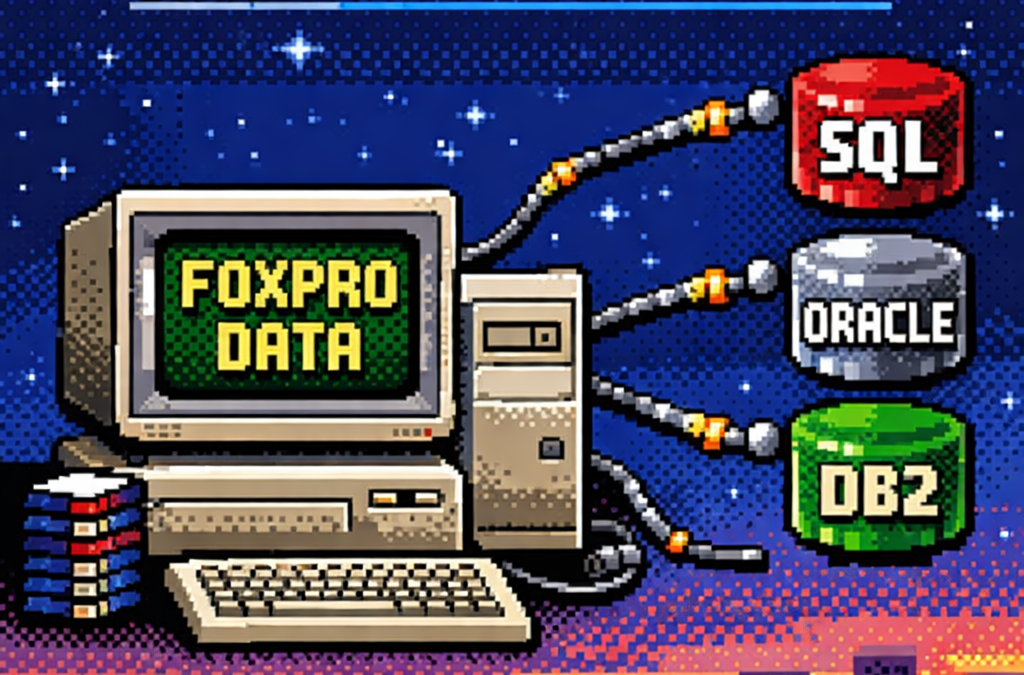
When I started working with computers, one of the tools that shaped my way of thinking as a developer was FoxPro.
At the time, FoxPro felt like a complete universe: database engine, forms, reports, and business logic all integrated into a single environment.
Looking back, FoxPro was effectively an application framework from the past—long before that term became common.
Accessing FoxPro data usually meant choosing between two paths:
- Direct FoxPro access – fast, tightly integrated, and fully aware of FoxPro’s features
- ODBC – a standardized way to access the data from outside the FoxPro ecosystem
This article focuses on that second option.
What Is ODBC?
ODBC (Open Database Connectivity) is a standardized API for accessing databases.
Instead of applications talking directly to a specific database engine, they talk to an ODBC driver,
which translates generic database calls into database-specific commands.
The promise was simple:
One API, many databases.
And for its time, this was revolutionary.
Supported Operating Systems and Use Cases
ODBC is still relevant today and supported across major platforms:
- Windows – native support, mature tooling
- Linux – via unixODBC and vendor drivers
- macOS – supported through driver managers
Typical use cases include:
- Legacy systems that must remain stable
- Reporting and BI tools
- Data migration and ETL pipelines
- Cross-vendor integrations
- Long-lived enterprise systems
ODBC excels where interoperability matters more than elegance.
The Lowest Common Denominator Problem
Although ODBC is a standard, it does not magically unify databases.
Each database has its own:
- SQL dialect
- Data types
- Functions
- Performance characteristics
ODBC standardizes access, not behavior.
You can absolutely open an ODBC connection and still:
- Call native database functions
- Use vendor-specific SQL
- Rely on engine-specific behavior
This makes ODBC flexible—but not truly database-agnostic.
ODBC vs True Abstraction Layers
This is where ODBC differs from ORMs or persistence frameworks that aim for full abstraction.
- ODBC: Gives you a common door and does not prevent database-specific usage
- ORM-style frameworks: Try to hide database differences and enforce a common conceptual model
ODBC does not protect you from database specificity—it permits it.
ODBC in .NET: Avoiding Native Database Dependencies
This is an often-overlooked advantage of ODBC, especially in .NET applications.
ADO.NET is interface-driven:
IDbConnectionIDbCommandIDataReader
However, each database requires its own concrete provider:
- SQL Server
- Oracle
- DB2
- Pervasive
- PostgreSQL
- MySQL
Each provider introduces:
- Native binaries
- Vendor SDKs
- Version compatibility issues
- Deployment complexity
Your code may be abstract — your deployment is not.
ODBC as a Binary Abstraction Layer
When using ODBC in .NET, your application depends on one provider only:
System.Data.Odbc
Database-specific dependencies are moved:
- Out of your application
- Into the operating system
- Into driver configuration
This turns ODBC into a dependency firewall.
Minimal .NET Example: ODBC vs Native Provider
Native ADO.NET Provider (Example: SQL Server)
using System.Data.SqlClient;

using var connection =
    new SqlConnection("Server=.;Database=AppDb;Trusted_Connection=True;");

connection.Open();
Implications:
- Requires SQL Server client libraries
- Ties the binary to SQL Server
- Changing database = new provider + rebuild
ODBC Provider (Database-Agnostic Binary)
using System.Data.Odbc;

using var connection =
    new OdbcConnection("DSN=AppDatabase");

connection.Open();
Implications:
- Same binary works for SQL Server, Oracle, DB2, etc.
- No vendor-specific DLLs in the app
- Database choice is externalized
The SQL inside the connection may still be database-specific — but your application binary is not.
Trade-Offs (And Why They’re Acceptable)
Using ODBC means:
- Fewer vendor-specific optimizations
- Possible performance differences
- Reliance on driver quality
But in exchange, you gain:
- Simpler deployments
- Easier migrations
- Longer application lifespan
- Reduced vendor lock-in
For many enterprise systems, this is a strategic win.
What’s Next – Phase 2: Customer Polish
Phase 1 is about making it work.
Phase 2 is about making it survivable for customers.
In Phase 2, ODBC shines by enabling:
- Zero-code database switching
- Cleaner installers
- Fewer runtime surprises
- Support for customer-controlled environments
- Reduced friction in on-prem deployments
This is where architecture meets reality.
Customers don’t care how elegant your abstractions are — they care that your software runs on their infrastructure without drama.
Project References
Minimal and explicit:
System.Data
System.Data.Odbc
Optional (native providers, when required):
System.Data.SqlClient
Oracle.ManagedDataAccess
IBM.Data.DB2
ODBC allows these to become optional, not mandatory.
Closing Thought
ODBC never promised purity.
It promised compatibility.
Just like FoxPro once gave us everything in one place, ODBC gave us a way out — without burning everything down.
Decades later, that trade-off still matters.
