
by Joche Ojeda | Oct 16, 2025 | Oqtane
OK, I’ve been wanting to write this article for a few days now, but I’ve been vibing a lot — writing tons of prototypes and working on my Oqtane research. This morning I got blocked by GitHub Copilot because I hit the rate limit, so I can’t use it for a few hours. I figured that’s a sign to take a break and write some articles instead.
Actually, I’m not really “writing” — I’m using the Windows dictation feature (Windows key + H). So right now, I’m just having coffee and talking to my computer. I’m still in El Salvador with my family, and it’s like 5:00 AM here. My mom probably thinks I’ve gone crazy because I’ve been talking to my computer a lot lately. Even when I’m coding, I use dictation instead of typing, because sometimes it’s just easier to express yourself when you talk. When you type, you tend to shorten things, but when you talk, you can go on forever, right?
Anyway, this article is about Oqtane, specifically something that’s been super useful for me — how to set up a silent installation. Usually, when you download the Oqtane source or use the templates to create a new project or solution, and then run the server project, you’ll see the setup wizard first. That’s where you configure the database, email, host password, default theme, and all that.
Since I’ve been doing tons of prototypes, I’ve seen that setup screen thousands of times per day. So I downloaded the Oqtane source and started digging through it — using Copilot to generate guides whenever I got stuck. Honestly, the best way to learn is always by looking at the source code. I learned that the hard way years ago with XAF from DevExpress — there was no documentation back then, so I had to figure everything out manually and even assemble the projects myself because they weren’t in one solution. With Oqtane, it’s way simpler: everything’s in one place, just a few main projects.
Now, when I run into a problem, I just open the source code and tell Copilot, “OK, this is what I want to do. Help me figure it out.” Sometimes it goes completely wrong (as all AI tools do), but sometimes it nails it and produces a really good guide.
So the guide below was generated with Copilot, and it’s been super useful. I’ve been using it a lot lately, and I think it’ll save you a ton of time if you’re doing automated deployment with Oqtane.
I don’t want to take more of your time, so here it goes — I hope it helps you as much as it helped me.
Oqtane Installation Configuration Guide
This guide explains the configuration options available in the appsettings.json file under the Installation section for automated installation and default site settings.
Overview
The Installation section in appsettings.json controls the automated installation process and default settings for new sites in Oqtane. These settings are particularly useful for:
- Automated installations – Deploy Oqtane without manual configuration
- Development environments – Quickly spin up new instances
- Multi-tenant deployments – Standardize new site creation
- CI/CD pipelines – Automate deployment processes
Configuration Structure
{
  "Installation": {
    "DefaultAlias": "",
    "HostPassword": "",
    "HostEmail": "",
    "SiteTemplate": "",
    "DefaultTheme": "",
    "DefaultContainer": ""
  }
}
| Key |
Purpose |
Required |
DefaultAlias |
Initial site URL(s) |
✅ |
HostPassword |
Super admin password |
✅ |
HostEmail |
Super admin email |
✅ |
SiteTemplate |
Initial site structure |
Optional |
DefaultTheme |
Site appearance |
Optional |
DefaultContainer |
Module wrapper style |
Optional |
SiteTemplate
A Site Template defines the initial structure and content of a new site, including pages, modules, folders, and navigation.
"SiteTemplate": "Oqtane.Infrastructure.SiteTemplates.DefaultSiteTemplate, Oqtane.Server"
Default options:
- DefaultSiteTemplate – Home, Privacy, example content
- EmptySiteTemplate – Minimal, clean slate
- AdminSiteTemplate – Internal use
If empty, Oqtane uses the default template automatically.
DefaultTheme
A Theme controls the visual appearance and layout of your site (page structure, navigation, header/footer, and styling).
"DefaultTheme": "Oqtane.Themes.OqtaneTheme.Default, Oqtane.Client"
Built-in themes:
- Oqtane Theme (default) – clean and responsive
- Blazor Theme – Blazor-branded styling
- Bootswatch variants – Cerulean, Cosmo, Darkly, Flatly, Lux, etc.
- Corporate Theme – business layout
If left blank, it defaults to the Oqtane Theme.
DefaultContainer
A Container is the wrapper around each module, controlling how titles, buttons, and borders look.
"DefaultContainer": "Oqtane.Themes.OqtaneTheme.Container, Oqtane.Client"
Common containers:
- OqtaneTheme.Container – standard and responsive
- AdminContainer – management modules
- Theme-specific containers – match the chosen theme
Defaults automatically if left empty.
Example Configurations
Minimal Configuration
{
  "Installation": {
    "DefaultAlias": "localhost",
    "HostPassword": "YourSecurePassword123!",
    "HostEmail": "admin@example.com"
  }
}
Custom Theme and Container
{
  "Installation": {
    "DefaultAlias": "localhost",
    "HostPassword": "YourSecurePassword123!",
    "HostEmail": "admin@example.com",
    "SiteTemplate": "Oqtane.Infrastructure.SiteTemplates.DefaultSiteTemplate, Oqtane.Server",
    "DefaultTheme": "Oqtane.Theme.Bootswatch.Flatly.Default, Oqtane.Theme.Bootswatch.Oqtane",
    "DefaultContainer": "Oqtane.Theme.Bootswatch.Flatly.Container, Oqtane.Theme.Bootswatch.Oqtane"
  }
}
Troubleshooting
- Settings ignored during installation: Ensure all required fields are filled (
DefaultAlias, HostPassword, HostEmail).
- Theme not found: Check assembly reference and type name.
- Container displays incorrectly: Use a container matching your theme.
- Site template creates no pages: Ensure your template returns valid page definitions.
Logs can be found in Logs/oqtane-log-YYYYMMDD.txt.
Best Practices
- Match your theme and container.
- Leave defaults empty unless customization is needed.
- Test in development first.
- Document any custom templates or themes.
- Use environment-specific appsettings (e.g.
appsettings.Development.json).
Summary
The Installation configuration in appsettings.json lets you fully automate your Oqtane setup.
- SiteTemplate: defines structure
- DefaultTheme: defines appearance
- DefaultContainer: defines module layout
Empty values use defaults, and you can override them for automation, branding, or custom scenarios.

by Joche Ojeda | Mar 2, 2025 | C#, System Theory
This past week, I have been working on a prototype for a wizard component. As you might know, in computer interfaces, wizard components (or multi-step forms) allow users to navigate through a finite number of steps or pages until they reach the end. Wizards are particularly useful because they don’t overwhelm users with too many choices at once, effectively minimizing the number of decisions a user needs to make at any specific moment.
The current prototype is created using XAF from DevExpress. If you follow this blog, you probably know that I’m a DevExpress MVP, and I wanted to use their tools to create this prototype.
I’ve built wizard components before, but mostly in a rush. Those previous implementations had the wizard logic hardcoded directly inside the UI components, with no separation between the UI and the underlying logic. While they worked, they were quite messy. This time, I wanted to take a more structured approach to creating a wizard component, so here are a few of my findings. Most of this might seem obvious, but sometimes it’s hard to see the forest for the trees when you’re sitting in front of the computer writing code.
Understanding the Core Concept: State Machines
To create an effective wizard component, you need to understand several underlying concepts. The idea of a wizard is actually rooted in system theory and computer science—it’s essentially an implementation of what’s called a state machine or finite state machine.
Theory of a State Machine
A state machine is the same as a finite state machine (FSM). Both terms refer to a computational model that describes a system existing in one of a finite number of states at any given time.
A state machine (or FSM) consists of:
- States: Distinct conditions the system can be in
- Transitions: Rules for moving between states
- Events/Inputs: Triggers that cause transitions
- Actions: Operations performed when entering/exiting states or during transitions
The term “finite” emphasizes that there’s a limited, countable number of possible states. This finite nature is crucial as it makes the system predictable and analyzable.
State machines come in several variants:
- Deterministic FSMs (one transition per input)
- Non-deterministic FSMs (multiple possible transitions per input)
- Mealy machines (outputs depend on state and input)
- Moore machines (outputs depend only on state)
They’re widely used in software development, hardware design, linguistics, and many other fields because they make complex behavior easier to visualize, implement, and debug. Common examples include traffic lights, UI workflows, network protocols, and parsers.
In practical usage, when someone refers to a “state machine,” they’re almost always talking about a finite state machine.
Implementing a Wizard State Machine
Here’s an implementation of a wizard state machine that separates the logic from the UI:
public class WizardStateMachineBase
{
    readonly List<WizardPage> _pages;
    int _currentIndex;

    public WizardStateMachineBase(IEnumerable<WizardPage> pages)
    {
        _pages = pages.OrderBy(p => p.Index).ToList();
        _currentIndex = 0;
    }

    public event EventHandler<StateTransitionEventArgs> StateTransition;

    public WizardPage CurrentPage => _pages[_currentIndex];

    public virtual bool MoveNext()
    {
        if (_currentIndex < _pages.Count - 1) { var args = new StateTransitionEventArgs(CurrentPage, _pages[_currentIndex + 1]); OnStateTransition(args); if (!args.Cancel) { _currentIndex++; return true; } } return false; } public virtual bool MovePrevious() { if (_currentIndex > 0)
        {
            var args = new StateTransitionEventArgs(CurrentPage, _pages[_currentIndex - 1]);
            OnStateTransition(args);

            if (!args.Cancel)
            {
                _currentIndex--;
                return true;
            }
        }
        return false;
    }

    protected virtual void OnStateTransition(StateTransitionEventArgs e)
    {
        StateTransition?.Invoke(this, e);
    }
}

public class StateTransitionEventArgs : EventArgs
{
    public WizardPage CurrentPage { get; }
    public WizardPage NextPage { get; }
    public bool Cancel { get; set; }

    public StateTransitionEventArgs(WizardPage currentPage, WizardPage nextPage)
    {
        CurrentPage = currentPage;
        NextPage = nextPage;
        Cancel = false;
    }
}

public class WizardPage
{
    public int Index { get; set; }
    public string Title { get; set; }
    public string Description { get; set; }
    public bool IsRequired { get; set; } = true;
    public bool IsCompleted { get; set; }

    // Additional properties specific to your wizard implementation
    public object Content { get; set; }

    public WizardPage(int index, string title)
    {
        Index = index;
        Title = title;
    }

    public virtual bool Validate()
    {
        // Default implementation assumes page is valid
        // Override this method in derived classes to provide specific validation logic
        return true;
    }
}
Benefits of This Approach
As you can see, by defining a state machine, you significantly narrow down the implementation possibilities. You solve the problem of “too many parts to consider” – questions like “How do I start?”, “How do I control the state?”, “Should the state be in the UI or a separate class?”, and so on. These problems can become really complicated, especially if you don’t centralize the state control.
This simple implementation of a wizard state machine shows how to centralize control of the component’s state. By separating the state management from the UI components, we create a cleaner, more maintainable architecture.
The WizardStateMachineBase class manages the collection of pages and handles navigation between them, while the StateTransitionEventArgs class provides a mechanism to cancel transitions if needed (for example, if validation fails). The newly added WizardPage class encapsulates all the information needed for each step in the wizard.
What’s Next?
The next step will be to control how the visual components react to the state of the machine – essentially connecting our state machine to the UI layer. This will include handling the display of the current page content, updating navigation buttons (previous/next/finish), and possibly showing progress indicators. I’ll cover this UI integration in my next post.
By following this pattern, you can create wizard interfaces that are not only user-friendly but also maintainable and extensible from a development perspective.
Source Code
egarim/WizardStateMachineTest
About US
YouTube
https://www.youtube.com/c/JocheOjedaXAFXAMARINC
Our sites
https://www.bitframeworks.com
https://www.xari.io
https://www.xafers.training
Let’s discuss your XAF Support needs together! This 1-hour call/zoom will give you the opportunity to define the roadblocks in your current XAF solution
Schedule a meeting with us on this link

by Joche Ojeda | Feb 7, 2025 | Uncategorized
I recently had the privilege of conducting a training session in Cairo, Egypt, focusing on modern application development approaches. The session covered two key areas that are transforming how we build business applications: application frameworks and AI integration.
Streamlining Development with Application Frameworks
One of the highlights was demonstrating DevExpress’s eXpressApp Framework (XAF). The students were particularly impressed by how quickly we could build fully-functional Line of Business (LOB) applications. XAF’s approach eliminates much of the repetitive coding typically associated with business application development:
- Automatic CRUD operations
- Built-in security system
- Consistent UI across different platforms
- Rapid prototyping capabilities
Seamless Integration: XAF Meets Microsoft Semantic Kernel
What made this training unique was demonstrating how XAF’s capabilities extend into AI territory. We built the entire AI interface using XAF itself, showcasing how a traditional LOB framework can seamlessly incorporate advanced AI features. The audience, coming primarily from JavaScript backgrounds with Angular and React experience, was particularly impressed by how this approach simplified the integration of AI into business applications.
During the demonstrations, we explored practical implementations using Microsoft Semantic Kernel. The students were fascinated by practical demonstrations of:
- Natural language processing for document analysis
- Automated content generation for business documentation
- Intelligent decision support systems
- Context-aware data processing
Student Engagement and Outcomes
The response from the students, most of whom came from JavaScript development backgrounds, was overwhelmingly positive. As experienced frontend developers using Angular and React, they were initially skeptical about a different approach to application development. However, their enthusiasm peaked when they saw how these technologies could solve real business challenges they face daily. The combination of XAF’s rapid development capabilities and Semantic Kernel’s AI features, all integrated into a cohesive development experience, opened their eyes to new possibilities in application development.
Looking Forward
This training session in Cairo demonstrated the growing appetite for modern development approaches in the region. The intersection of efficient application frameworks and AI capabilities is proving to be a powerful combination for next-generation business applications.
And last, but not least, some pictures )))

by Joche Ojeda | Jan 22, 2025 | ADO.NET, C#, Data Synchronization, Database, DevExpress, XPO, XPO Database Replication
SyncFramework for XPO is a specialized implementation of our delta encoding synchronization library, designed specifically for DevExpress XPO users. It enables efficient data synchronization by tracking and transmitting only the changes between data versions, optimizing both bandwidth usage and processing time.
What’s New
- Base target framework updated to .NET 8.0
- Added compatibility with .NET 9.0
- Updated DevExpress XPO dependencies to 24.2.3
- Continued support for delta encoding synchronization
- Various performance improvements and bug fixes
Framework Compatibility
- Primary Target: .NET 8.0
- Additional Support: .NET 9.0
Our XPO implementation continues to serve the DevExpress community.
Key Features
- Seamless integration with DevExpress XPO
- Efficient delta-based synchronization
- Support for multiple database providers
- Cross-platform compatibility
- Easy integration with existing XPO and XAF applications
As always, if you own a license, you can compile the source code yourself from our GitHub repository. The framework maintains its commitment to providing reliable data synchronization for XPO applications.
Happy Delta Encoding! ?
by Joche Ojeda | Jan 21, 2025 | ADO.NET, C#, Data Synchronization, EfCore
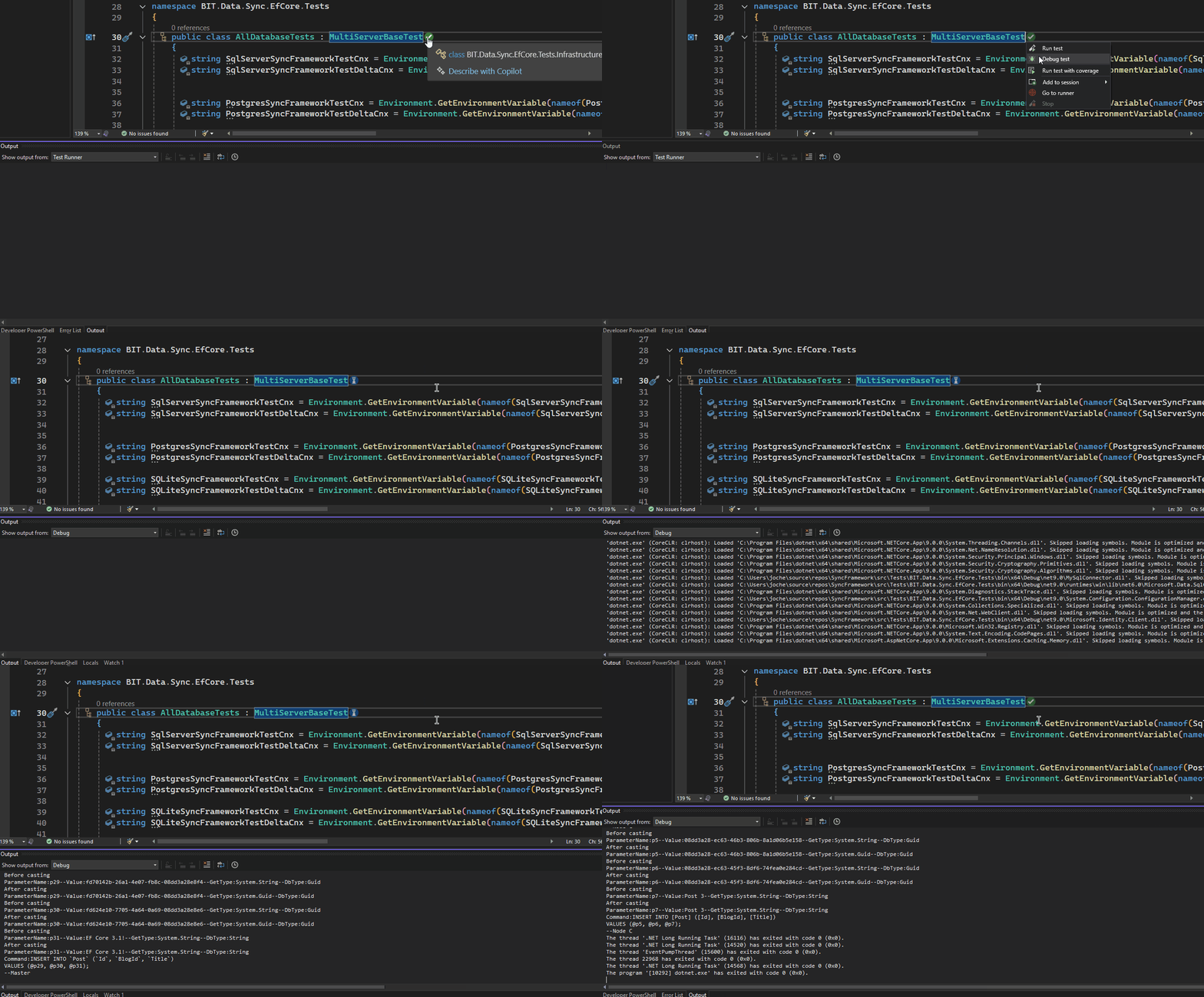
SyncFramework Update: Now Supporting .NET 9!
SyncFramework is a C# library that simplifies data synchronization using delta encoding technology. Instead of transferring entire datasets, it efficiently synchronizes by tracking and transmitting only the changes between data versions, significantly reducing bandwidth and processing overhead.
What’s New
- All packages now target .NET 9
- BIT.Data.Sync packages updated to support the latest framework
- Entity Framework Core packages upgraded to EF Core 9
- Various minor fixes and improvements
Available Implementations
- SyncFramework for XPO: For DevExpress XPO users
- SyncFramework for Entity Framework Core: For EF Core users
Package Statistics
Our packages have been serving the community well, with steady adoption:
- BIT.Data.Sync: 2,142 downloads
- BIT.Data.Sync.AspNetCore: 1,064 downloads
- BIT.Data.Sync.AspNetCore.Xpo: 521 downloads
- BIT.Data.Sync.EfCore: 1,691 downloads
- BIT.Data.Sync.EfCore.Npgsql: 1,120 downloads
- BIT.Data.Sync.EfCore.Pomelo.MySql: 1,172 downloads
- BIT.Data.Sync.EfCore.Sqlite: 887 downloads
- BIT.Data.Sync.EfCore.SqlServer: 982 downloads
Resources
NuGet Packages
Source Code
As always, you can compile the source code yourself from our GitHub repository. The framework continues to provide reliable data synchronization across different platforms and databases.
Happy Delta Encoding! ?