
One of the recurring challenges in real-world systems is not building new software — it’s
integrating with software that already exists.
Legacy systems don’t disappear just because newer technologies are available. They survive because they work,
because they hold critical business data, and because replacing them is often risky, expensive, or simply not allowed.
This article explores a practical approach to accessing legacy data using XPO by leveraging ODBC,
not as a universal abstraction, but as a bridge when no modern provider exists.
The Reality of Legacy Systems
Many organizations still rely on systems built on technologies such as:
- FoxPro tables
- AS400 platforms
- DB2-based systems
- Proprietary or vendor-abandoned databases
In these scenarios, it’s common to find that:
- There is no modern .NET provider
- There is no ORM support
- There is an ODBC driver
That last point is crucial. ODBC often remains available long after official SDKs and providers have disappeared.
It becomes the last viable access path to critical data.
Why ORMs Struggle with Legacy Data
Modern ORMs assume a relatively friendly environment: a supported database engine, a known SQL dialect,
a compatible type system, and an actively maintained provider.
Legacy databases rarely meet those assumptions. As a result, teams are often forced to:
- Drop down to raw SQL
- Build ad-hoc data access layers
- Treat legacy data as a second-class citizen
This becomes especially painful in systems that already rely heavily on DevExpress XPO for persistence,
transactions, and domain modeling.
ODBC Is Not Magic — and That’s the Point
ODBC is often misunderstood.
Using ODBC does not mean:
- One provider works for every database
- SQL becomes standardized
- Type systems become compatible
Each ODBC-accessible database still has:
- Its own SQL dialect
- Its own limitations
- Its own data types
- Its own behavioral quirks
ODBC simply gives you a way in. It is a transport mechanism, not a universal language.
What an XPO ODBC Provider Really Is
When you implement an XPO provider on top of ODBC, you are not building a generic solution for all databases.
You are building a targeted adapter for a specific legacy system that happens to be reachable via ODBC.
This matters because ODBC is used here as a pragmatic trick:
- To connect to something you otherwise couldn’t
- To reuse an existing, stable access path
- To avoid rewriting or destabilizing legacy systems
The database still dictates the SQL dialect, supported features, and type system. Your provider must respect those constraints.
Why XPO Makes This Possible
XPO is not just an ORM — it is a provider-based persistence framework.
All SQL-capable XPO providers are built on top of a shared foundation, most notably:
ConnectionProviderSql
https://docs.devexpress.com/CoreLibraries/DevExpress.Xpo.DB.ConnectionProviderSql
This architecture allows you to reuse XPO’s core benefits:
- Object model
- Sessions and units of work
- Transaction handling
- Integration with domain logic
While customizing what legacy systems require:
- SQL generation
- Command execution
- Schema discovery
- Type mapping
Dialects and Type Systems Still Matter
Even when accessed through ODBC:
- FoxPro is not SQL Server
- DB2 is not PostgreSQL
- AS400 is not Oracle
Each system has its own:
- Date and time semantics
- Numeric precision rules
- String handling behavior
- Constraints and limits
An XPO ODBC provider must explicitly map database types, handle dialect-specific SQL,
and avoid assumptions about “standard SQL.” ODBC opens the door — it does not normalize what’s inside.
Real-World Experience: AS400 and DB2 in Production
This approach is not theoretical. Last year, we implemented a custom XPO provider using ODBC for
AS400 and DB2 systems in Mexico, where:
- No viable modern .NET provider existed
- The systems were deeply embedded in business operations
- ODBC was the only stable integration path
By introducing an XPO provider on top of ODBC, we were able to integrate legacy data into a modern .NET architecture,
preserve domain models and transactional behavior, and avoid rewriting or destabilizing existing systems.
The Hidden Advantage: Modern UI and AI Access
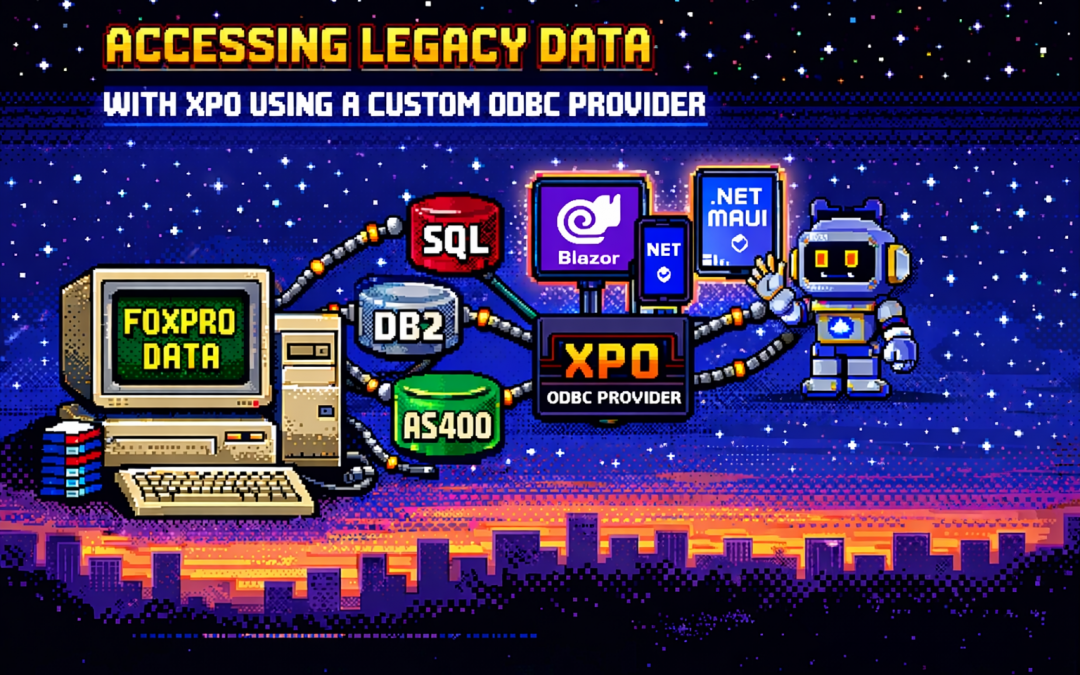
Once legacy data is exposed through XPO, something powerful happens: that data becomes immediately available to modern platforms.
- Blazor applications
- .NET MAUI mobile and desktop apps
- Background services
- Integration APIs
- AI agents and assistants
And you get this without rewriting the database, migrating the data, or changing the legacy system.
XPO becomes the adapter that allows decades-old data to participate in modern UI stacks, automated workflows,
and AI-driven experiences.
Why Not Just Use Raw ODBC?
Raw ODBC gives you rows, columns, and primitive values. XPO gives you domain objects, identity tracking,
relationships, transactions, and a consistent persistence model.
The goal is not to modernize the database. The goal is to modernize access to legacy data
so it can safely participate in modern architectures.
Closing Thought
An XPO ODBC provider is not a silver bullet. It will not magically unify SQL dialects, type systems, or database behavior.
But when used intentionally, it becomes a powerful bridge between systems that cannot be changed
and architectures that still need to evolve.
ODBC is the trick that lets you connect.
XPO is what makes that connection usable — everywhere, from Blazor UIs to AI agents.